
Scrubbing old social media
College Facebook. High-school yearbook PDFs. The blog you ran in 2009. The accounts you forgot you made. Each is a thread an adversary can pull.
Old social-media presence is the most underestimated OSINT vector for first responders. The accounts you barely remember are still indexed. Scrubbing them takes time but pays back over years.
What an adversary sees
Your locked-down current accounts aren't the problem. The problem is the trail behind you.
- A MySpace or LiveJournal that still resolves and ties a username to your real name.
- A college Facebook profile from before you cared, still public, full of dorm photos and hometown tags.
- A Photobucket or Flickr album with the GPS coordinates your old phone secretly stamped on each photo.
- A Tumblr or Wordpress with your real name in the byline.
- A 2012 forum post asking a question with your work email in the signature.
- The high-school yearbook PDF the school district uploaded and Google indexed.
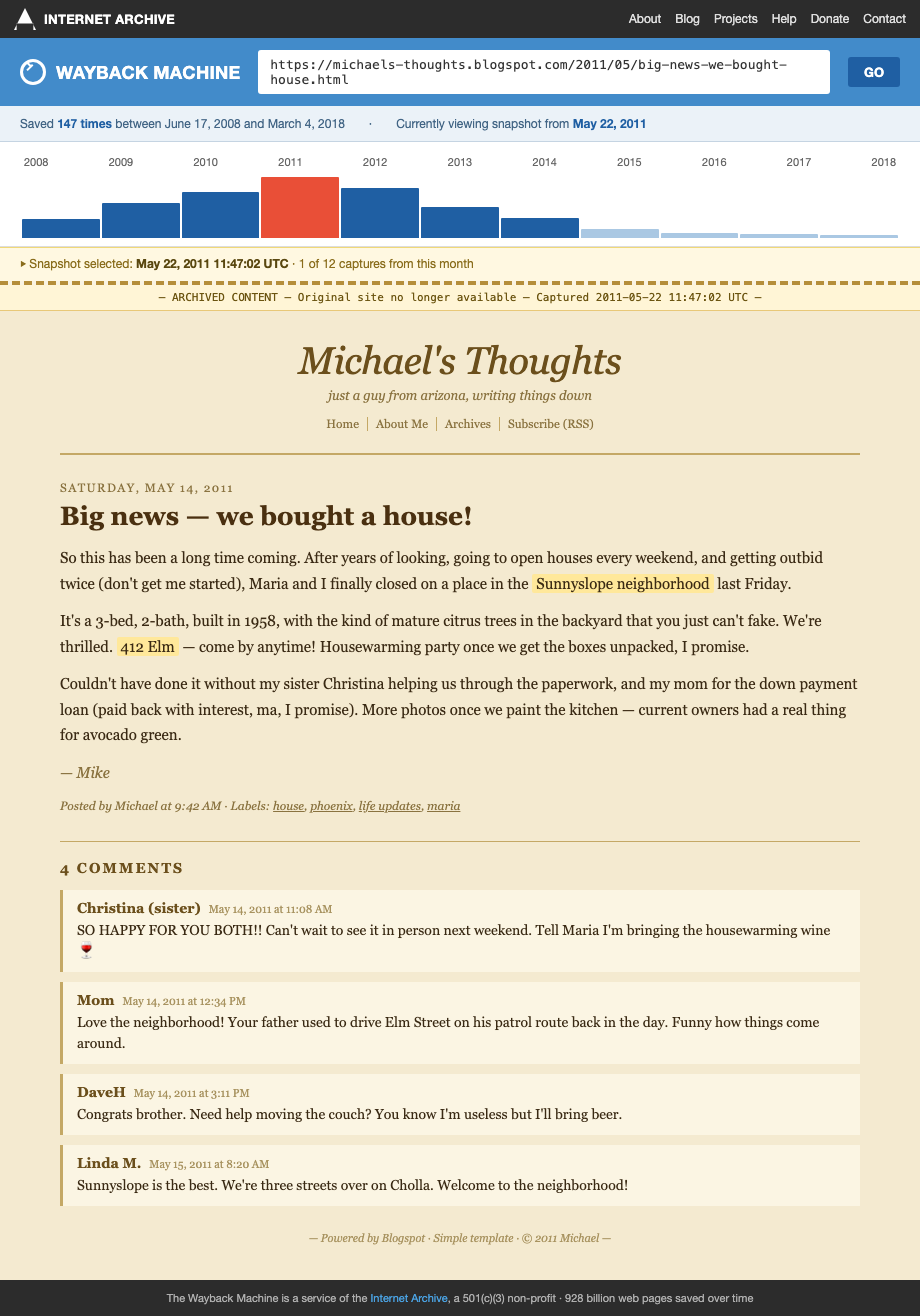
An adversary doesn't need your current Instagram. They need anything that ties your name to a face, a city, or a workplace. Old accounts deliver all three.
How to do this on yourself
Inventory first, then triage.
- haveibeenpwned.com — enter every email address you've ever used. The breach list shows you which sites you signed up for, including ones you forgot.
- Google your old usernames — handles you used in high school, college, on gaming forums. Try
"oldusername"and"oldusername" "your real name". - archive.org — search for old personal sites and blog URLs. Old domain names you owned still show snapshots.
- Email account search — search your own inbox for "welcome to" and "verify your account." Every signup confirmation that's still there is an account that may still exist.
- namecheckr.com or whatsmyname.app — checks a username across hundreds of platforms at once.
Build a list. Every account gets a row: site, username, email used, status.
What to do about what you find
Work in priority order. Don't try to do it all in one weekend.
- Face photos first. Anything with your face attached to a real name. Delete or set to private.
- Location-tagged content next. Old check-ins, geotagged photos, "moving to [city]" posts.
- Family-member tags third. Old photos that name a spouse, parent, or kid by full name.
- Employment history fourth. Forum signatures with work email, LinkedIn-style bios on dead sites.
For accounts you can delete, delete. For accounts you can't (some platforms make it nearly impossible), scrub the content, change the display name to initials, swap the photo to a generic one, then leave the husk.
For indexed yearbook PDFs and old roster pages, email the publisher with a removal request citing safety concerns. Many comply for officers without a fight.
What we handle automatically
Old social-media scrubbing is hands-on work. We can't log into your dead Photobucket for you.
What we do handle is the broker side. Every old account that leaked your name plus a city is feedstock that ended up on Spokeo, Whitepages, TruePeopleSearch, and a hundred others. We pull those listings down and keep them down.
Your scan also flags broker entries that look social-media-derived (old aliases, prior cities you only lived in during college). That tells you which old accounts probably leaked and are worth tracking down.
Run a free scan to see what your trail has already produced.
Most OSINT chains end at a broker page that ties your name to a home address. Run a free scan to see what's currently exposed.