
Reverse image search yourself
A face photo can be matched to your name, your work, your family — and from there to your home. Walk the technique on yourself before someone else walks it on you.
Reverse image search has gotten dramatically better in the past few years. PimEyes scans the open web, finds every photo of your face, and links them all together. A single old yearbook photo can become a name, a hometown, and a family.
What an adversary sees
An adversary uploads a face photo of you — pulled from a department press release, a body-cam still, a protest video — and runs it through:
- Google Images and Google Lens — broad web match, weak on faces but strong on context (uniform patches, building backgrounds, vehicles).
- TinEye — finds exact and near-duplicate copies of an image across the web. Great for tracking where a photo got reposted.
- PimEyes — face-recognition index of the public web. Returns other photos of the same face from unrelated sites.
- Yandex — uncomfortably good at faces. Often surfaces matches Google misses, including Russian and Eastern European sites that mirror US content.
- FaceCheck.id and Search4faces — narrower but worth knowing.
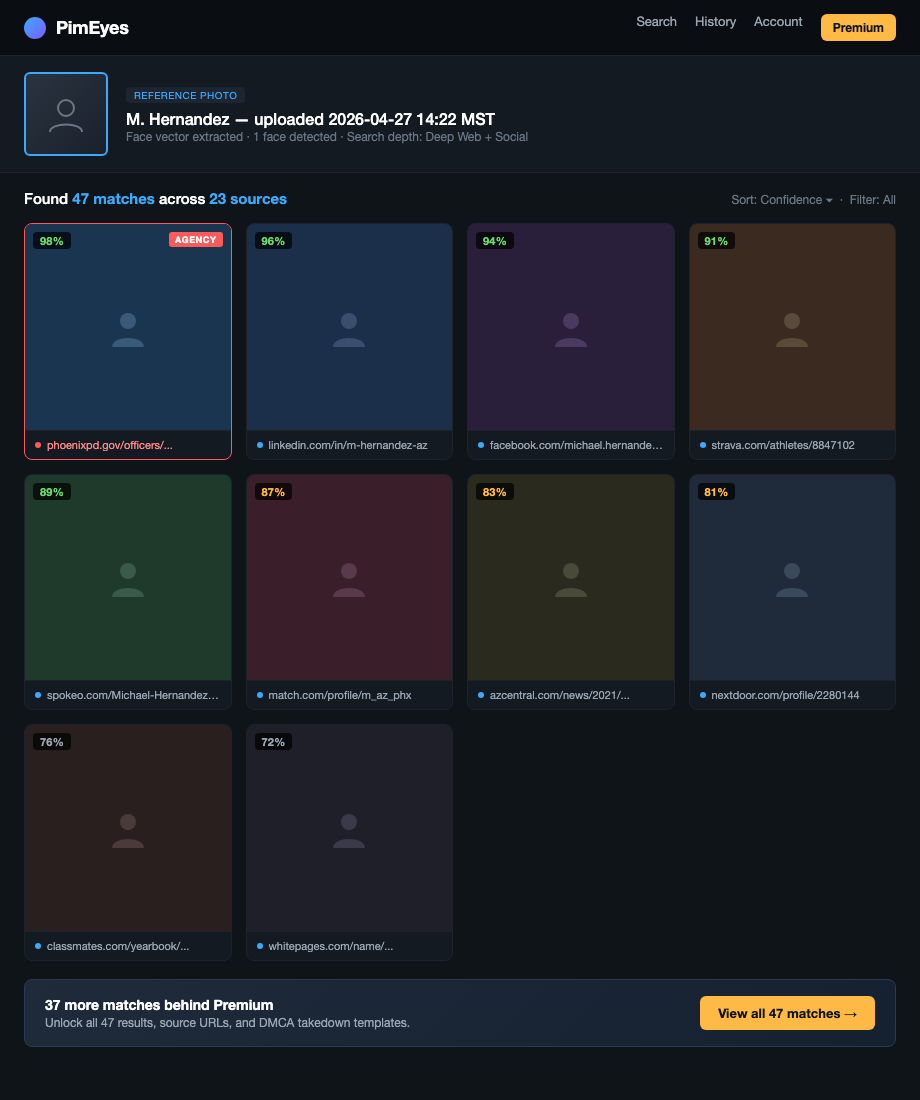
One match to a tagged photo is enough. Tagged photo gives a name. Name goes to data brokers. Brokers give the address.
How to do this on yourself
Pick your test image like an adversary would: the most recent clean shot of your face, head-on, no sunglasses, no hat. A LinkedIn headshot or department portrait is the realistic worst case.
Run it through, in order:
- Google Images — drag and drop. Note any captioned hits.
- TinEye — finds reposts you didn't know existed.
- PimEyes — free tier shows blurred matches with source URLs. Worth the look.
- Yandex Images — same upload flow. Read the source URLs carefully.
Log every URL where your face appears with your name attached. That's the chain. Anything tagged is a higher priority than anything untagged. An untagged photo is mostly noise; a tagged photo is identification.
What to do about what you find
For each hit, work top-down by severity:
- Tagged photos on social you control. Untag, then delete or set the post audience to "only me." If it's not your account, message the owner.
- Old account photos you've forgotten. Walk the scrubbing old social media workflow.
- Press releases and news photos. Usually can't be removed. Note them so you know what an adversary already has.
- PimEyes and FaceCheck.id results. Both have an opt-out form. PimEyes calls it "PROtect." Submit it. They'll ask for a face photo to exclude — annoying, worth it.
- Yearbook PDFs and academy rosters. Email the school or publisher. Many will pull on request.
If a face match has already led to your address showing up somewhere public, jump to the doxxing playbook.
What we handle automatically
Face matching itself is on you. We can't pull your face out of a press release.
What we do handle is the back half of the chain — the broker-side address lookup that a face match feeds into once an adversary has your name. Without the broker layer, "I matched a face to Officer Smith" stalls out. With it, "Officer Smith" becomes "Officer Smith at 412 Elm" in two more clicks.
Run a free scan to see which brokers currently sell your address under your real name. We remove them and keep them removed. The face stays the face — but it stops being the first link in a chain that ends at your house.
Most OSINT chains end at a broker page that ties your name to a home address. Run a free scan to see what's currently exposed.